01 / Share your source
Send a sharp product photograph and specify which area should change. High-resolution originals help preserve detail.
Product recoloring in Photoshop
Create coordinated product colourways from swatches, colour codes or reference images, with careful attention to the material and lighting.
Request a recoloring quote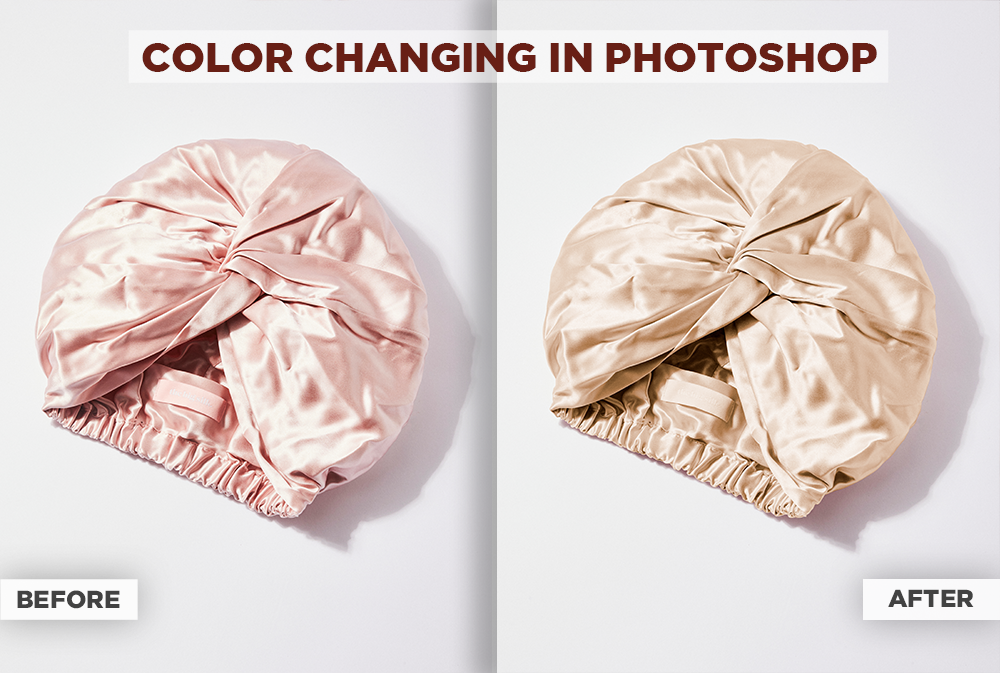
Selected work / M. Farrukh
This satin accessory example shows a pink-to-champagne change with the folds and surface sheen retained.
Exact matching depends on your source image, lighting and the reference supplied. We agree the target appearance using your sample before applying it to the full batch.
How it works
Send a sharp product photograph and specify which area should change. High-resolution originals help preserve detail.
Supply HEX codes, swatches or reference images, plus the number of variants needed for each product.
We confirm scope, price and timing, then prepare the agreed variants. Background removal and manual resizing can be discussed alongside recoloring.
Send a sample and target shades for a custom quote.
Get a recoloring quote